Legacy .NET applications, WinForms and Web Forms, modernised
Applications written for .NET Framework in the 2000s and 2010s are usually in better shape than VB6 or Access tools, and they deserve a more careful answer than a full rewrite. We establish what can be moved as it is and what has to be rebuilt, then bring the application to ASP.NET Core with the same data and the same rules.
Why now
Support for .NET Framework 4.6.2 ends on 12/01/2027, and versions 4.6.1 and earlier are already out of support. .NET Framework 4.8 and 4.8.1 follow the lifecycle of the Windows version they are installed on, so an application on 4.8 is not in immediate danger. The framework receives fixes only, though, while new libraries, tools and hosting options are built for current .NET.
ASP.NET Web Forms runs only on .NET Framework and was not carried over to ASP.NET Core. Windows Forms does run on current .NET, but it remains a Windows desktop technology and does not give your staff access from a browser.
- Windows 10End of Microsoft support
- .NET Framework 4.6.2End of Microsoft support
What we modernise
Desktop and web applications built on .NET Framework, and the services around them.
Windows Forms applications
Desktop programs with
DataGridViewgrids, typed DataSets and TableAdapters, often installed with ClickOnce or an MSI. They become web applications, or move to current .NET as desktop programs when that is the better choice.ASP.NET Web Forms sites
Pages with ViewState, postbacks,
UpdatePanel,GridViewandSqlDataSource, master pages and user controls. We rebuild them in ASP.NET Core with Razor Pages, MVC or Blazor, depending on the application.Data access
ADO.NET code, typed DataSets, LINQ to SQL, Entity Framework 6 models and stored procedures. Where the database is sound, we keep it and change only the code that talks to it.
Services and integrations
WCF and ASMX web services, .NET Remoting and Windows services. They become REST APIs and background services on current .NET.
Sign-in and configuration
Forms Authentication, the ASP.NET Membership provider, Windows authentication, settings in web.config and app.config. Users and roles move to ASP.NET Core Identity, or to Microsoft Entra ID or Active Directory if you already use them.
Reports
Crystal Reports for Visual Studio, RDLC reports in ReportViewer and Excel exports. They become documents produced by the server, in PDF or Excel.
What the web version looks like
- Dashboard
- Tenants
- Properties
- Payments
- Reports
| Month | Due | Paid | Paid on | |
|---|---|---|---|---|
| Apr 2026 | €850.00 | €850.00 | 01/04/2026 | |
| May 2026 | €850.00 | €850.00 | 02/05/2026 | |
| Jun 2026 | €850.00 | €850.00 | 03/06/2026 | |
| Jul 2026 | €850.00 | €400.00 | 08/07/2026 | |
| Aug 2026 | €850.00 | €850.00 | 04/08/2026 | |
| Sep 2026 | €850.00 | – | – |
| Month | Due | Paid | Paid on | Balance |
|---|---|---|---|---|
| Apr 2026 | 850.00 | 850.00 | 01/04/2026 | 0.00 |
| May 2026 | 850.00 | 850.00 | 02/05/2026 | 0.00 |
| Jun 2026 | 850.00 | 850.00 | 03/06/2026 | 0.00 |
| Jul 2026 | 850.00 | 400.00 | 08/07/2026 | 450.00 |
| Aug 2026 | 850.00 | 850.00 | 04/08/2026 | 450.00 |
| Sep 2026 | 850.00 | 1,300.00 |
A rent ledger as it might look in a WinForms program, and the same ledger as a web page.
Drag the handle, or use the arrow keys.
Where each part ends up
- In .NET Framework: WinForms screens or .aspx pages
- In the web application: Razor Pages or Blazor components
- In .NET Framework: Code-behind and event handlers
- In the web application: Services and controllers covered by tests
- In .NET Framework: Typed DataSets, LINQ to SQL
- In the web application: Entity Framework Core or Dapper, on the same database
- In .NET Framework: WCF or ASMX services
- In the web application: REST APIs on ASP.NET Core
- In .NET Framework: Membership and Forms Authentication
- In the web application: ASP.NET Core Identity or Entra ID
- In .NET Framework: ClickOnce or MSI on each PC
- In the web application: One address, opened in the browser
How the migration works
Assessment within 48 hours
You send us the solution with its source code, a backup or script of the database, and the configuration files with production passwords removed. Within 48 hours we reply with a written report: what the program does today, where the risks are, how the web version would be organised, a fixed price for a pilot module and an estimate for the rest. It is free and commits you to nothing.
Pilot module
We build one part of the application on a copy of your real data, usually the part people use most. Your staff work with it day to day before you decide on the rest.
Automated old-versus-new tests
We send the same requests and data to the old and the new application and compare the results, from calculated fields to API responses and generated documents. Each rule we find gets an automated test that gives the same input to the old program and to the new application and checks that the results match. You receive the test results.
30-day parallel run
When the full application is ready, the old application stays in use alongside it for 30 days. Any difference shows up while the old program is still there, and we fix it within the agreed price.
Typical pitfalls, and how we handle them
ViewState and postback logic
Web Forms pages keep state in ViewState and in
Session, and their logic is split acrossPage_Load, control events andIsPostBackchecks. ASP.NET Core has no equivalent. We map the page lifecycle to explicit requests, so each action has one clear entry point.APIs that no longer exist
Application domains, .NET Remoting and Code Access Security are not available on current .NET, and some APIs compile but throw
PlatformNotSupportedExceptionwhen they run. We scan the code for them during the assessment, before any price is fixed.Membership passwords
Accounts created by the old ASP.NET Membership provider store passwords in a hash format that ASP.NET Core Identity does not use. We migrate the accounts so that people sign in with their current password and the hash is upgraded at first login, or plan a reset if the old settings make that impossible.
Third-party controls and report runtimes
Control suites for Web Forms and WinForms, such as those from Telerik, DevExpress or Infragistics, and the Crystal Reports runtime are tied to specific framework versions. We check versions and licences and decide control by control what replaces them.
Rules in stored procedures and triggers
In many applications of this period the real business rules live in the database. If the database stays, those procedures stay too and are covered by the comparison tests. If it changes, we move them one at a time, on purpose.
State held in memory
Applications that keep data in
Session, in static variables or in the in-process cache assume a single server that never restarts. We make that state explicit, so the new application can run on more than one instance and survive a restart.
Price and payment
Assessment
Free
in writing, within 48 hours
Pilot module
€1,000–1,500
usually, paid 50% at the start and 50% on approval
The assessment is free. If you decide not to go ahead, you keep the report and owe nothing.
Prices are fixed and agreed in writing before work starts. If the scope changes, we send a new written quote and wait for your approval before doing the extra work.
For a full migration, we aim to come in 40 to 60% below a typical agency quote. We can do this because we are a small studio, with no offices to pay for and no sales team.
Prices exclude VAT.
A real migration, checked by tests
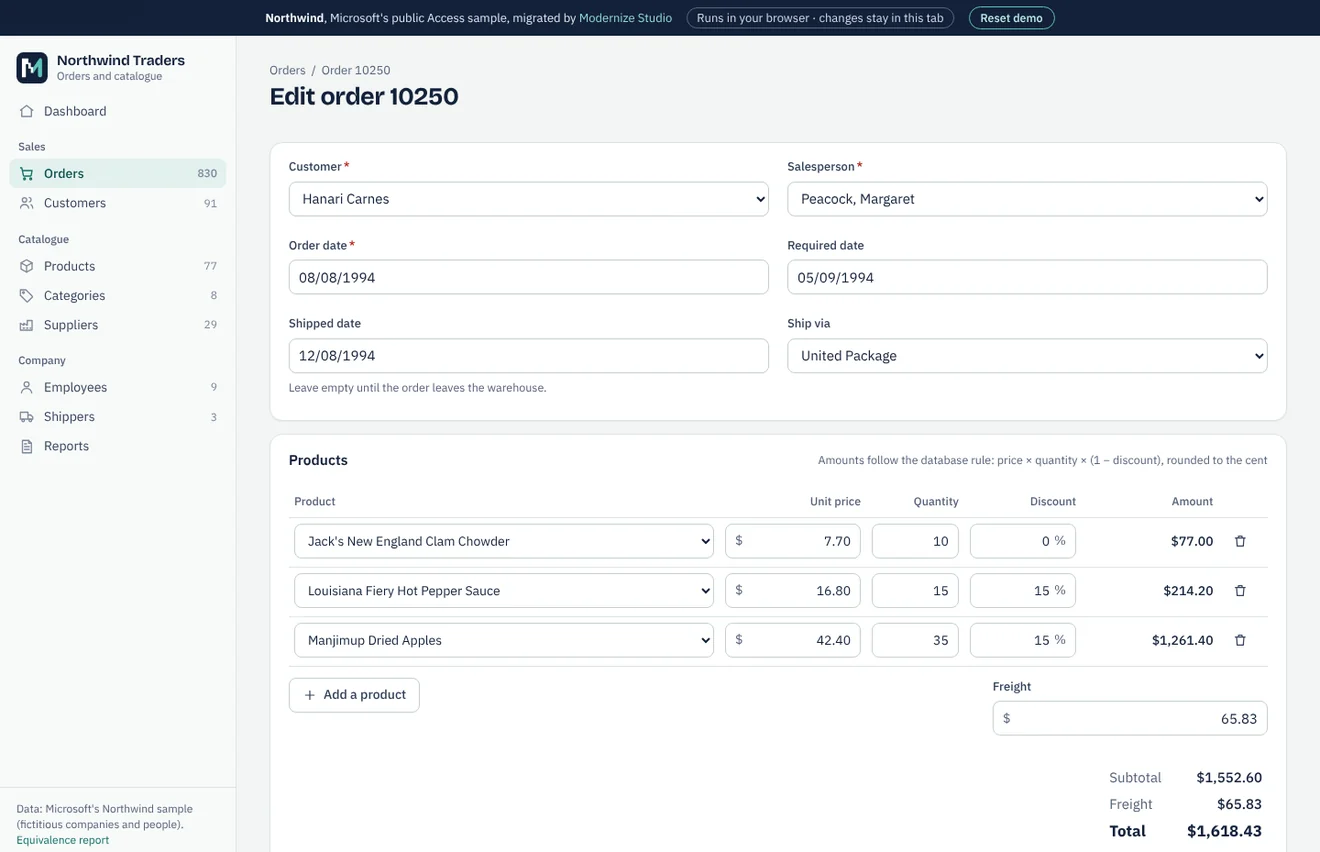
Northwind is the sample database Microsoft shipped with Access, not a client of ours. We migrated a public copy to SQLite and PostgreSQL, compared every table and every query with the original through automated tests, and built a working web application on the result. The case study gives the figures and the equivalence report lists every check.
Northwind is an Access database, but we follow the same method for .NET WinForms and WebForms: migrate, test against the original, run both side by side.
Equivalence report · Clickable preview and sample assessment (demo)
FAQ
Do we have to rewrite everything?
No. Class libraries with business logic often move to current .NET with limited changes, and the database can usually stay. What changes most is the user interface, meaning the Web Forms pages and the WinForms screens. The assessment separates what can be moved from what has to be rebuilt.
Can our WinForms application stay a desktop program?
Yes. Windows Forms is supported on current .NET, and moving there extends the life of the program for less than a web rewrite costs. If your users need access from a browser or from outside the office, a web application is the answer. When both make sense, the assessment prices both.
Our application runs on .NET Framework 4.8. Is it urgent?
Not because of support, since 4.8 and 4.8.1 follow the lifecycle of the Windows version they run on. The reasons to move are usually different: access from a browser, hosting on Linux, libraries that no longer target .NET Framework, or the difficulty of finding developers for Web Forms.
Can the migration happen in stages?
Yes. ASP.NET Core and the old application can run side by side behind the same address, with one area moved at a time. Microsoft's own guidance describes this incremental approach for ASP.NET applications.
Do you use automatic upgrade tools?
Where they help, for example to update project files and package references. They do not decide how a Web Forms page should work in ASP.NET Core, and every converted part goes through the same comparison tests as the rest.
Which database will we use?
Usually the one you already have, typically SQL Server. Changing database is a separate decision, and we recommend it only when there is a clear reason.
Other services
- Microsoft Access to web applicationTables, queries, forms, reports and VBA moved to a web application on SQL Server or MySQL.
- Excel VBA to web applicationWorkbooks with macros, UserForms and linked sheets turned into a multi-user web application.
- VB6 application migrationVisual Basic 6 programs moved to C# and the web, with or without the source code.
- Delphi application migrationDelphi programs on BDE, Paradox or dBase moved to a web application on a SQL database.
- Custom software and integrationsNew business applications, REST API integrations, data migration and maintenance.
Contact
By email:
riccardo@Send us the source code and a copy of the database with test data, or a short description of the application. We reply within one working day.
We work from Italy.