Case study: Microsoft's Northwind database, from Access 97 to SQL and the browser
Northwind is the sample database Microsoft shipped with Access. We used a public copy of it (Access 97 format) to show, on a file anyone can check, how we move an Access program to a modern database without losing a row or changing a figure. There is no client behind this page: the companies and people in Northwind are fictitious.
Starting point
- One Access 97 file of 2,932 KB: 9 tables with 4,032 rows, 22 saved queries (three with parameters and one crosstab), 13 reports and 21 forms.
- Pictures stored as OLE objects, which only Access can display.
- Business rules spread between field properties, relationships and the queries behind the reports.
What we did
- Data. Every table and every row moved to a new relational schema, delivered as a SQLite database and as PostgreSQL scripts, with primary and foreign keys, indexes, and the Access validation rules turned into database constraints. The 17 pictures became PNG files, pixel for pixel.
- Queries. The 22 saved queries became SQL views with the same names, in both databases, together with the calculations behind the reports: order totals after discount, invoice figures, sales by category and by year.
- Proof. Automated tests compare the original file with the new databases: row counts and a checksum of every row for each table, and the full result of every query, 855 runs in all, checked four ways (Access SQL on the original file, an independent model, PostgreSQL and the browser).
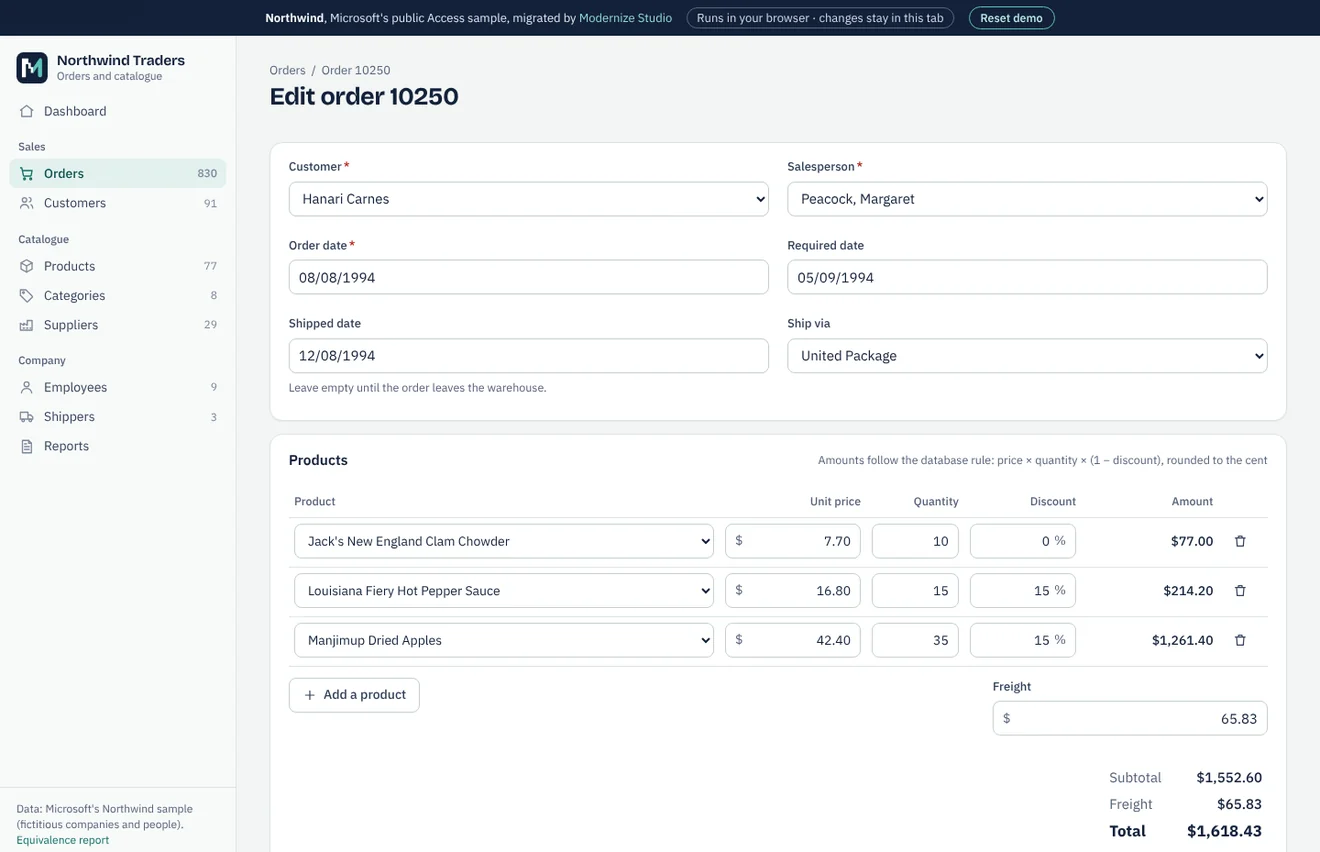
- Application. A web application on the migrated database, which runs entirely in the browser: orders with live totals, customers, products, suppliers, employees, a dashboard and the original reports, printable.
Results of the run
- 9/9
- tables identical, row by row
- 22/22
- queries with identical results (855 runs)
- 17/17
- attempts to break a rule refused by the database
- $1,265,793.02
- value of the 2,155 order lines, equal in SQLite, PostgreSQL and the browser
Two differences, both intended
Access computes order lines in binary floating point and keeps discounts as approximate numbers (15% is stored as 0.15000000596). On 18 of 2,155 order lines, whose exact amount falls on a half cent, this moves the result by one cent. The new databases store exact percentages and round the same way everywhere; the overall total changes by $0.16. Every affected line is listed in the report.
148 text values lost a stray space at the end or an old-style line break. One of them was the country Sweden, stored once with a space at the end, which would otherwise count as a separate country.
What the tests found on the way
UCanAccess, a widely used tool for reading Access files from Java, reads the discount column of this Access 97 file as a whole number: all 838 discounts become zero. The table checks caught it, and the report explains how we compared like with like. The SQL text that Jackcess rebuilds also omits the TOP 10 of one query; we read it from the file's system tables.
The application loads the 1,116 KB database into your browser with SQLite compiled to WebAssembly. Your changes stay in the tab and a button restores the original data.